HOME EQUIPMENT FOR YOUR HOUSEHOLD

Your house has been running on memory. Give it a record.

The generator, the oven, the water filter, the fan in the bathroom. Every one gets a page of its own — a photo, its details, its parts, and the next service it's due. The house tells you what needs doing instead of waiting for you to remember.

Free to start, for your whole household. Works in any browser — open it on your iPhone or Android and it fits the screen. Nothing to download.

HOME MAINTENANCE TRACKER

A home equipment maintenance tracker for the things that never remind you

The generator won't remind you. Neither will the water filter. So everything that runs your house gets a page of its own — a photo, its details, its parts, its schedule, and every time it's been serviced. The ones that need attention say so.

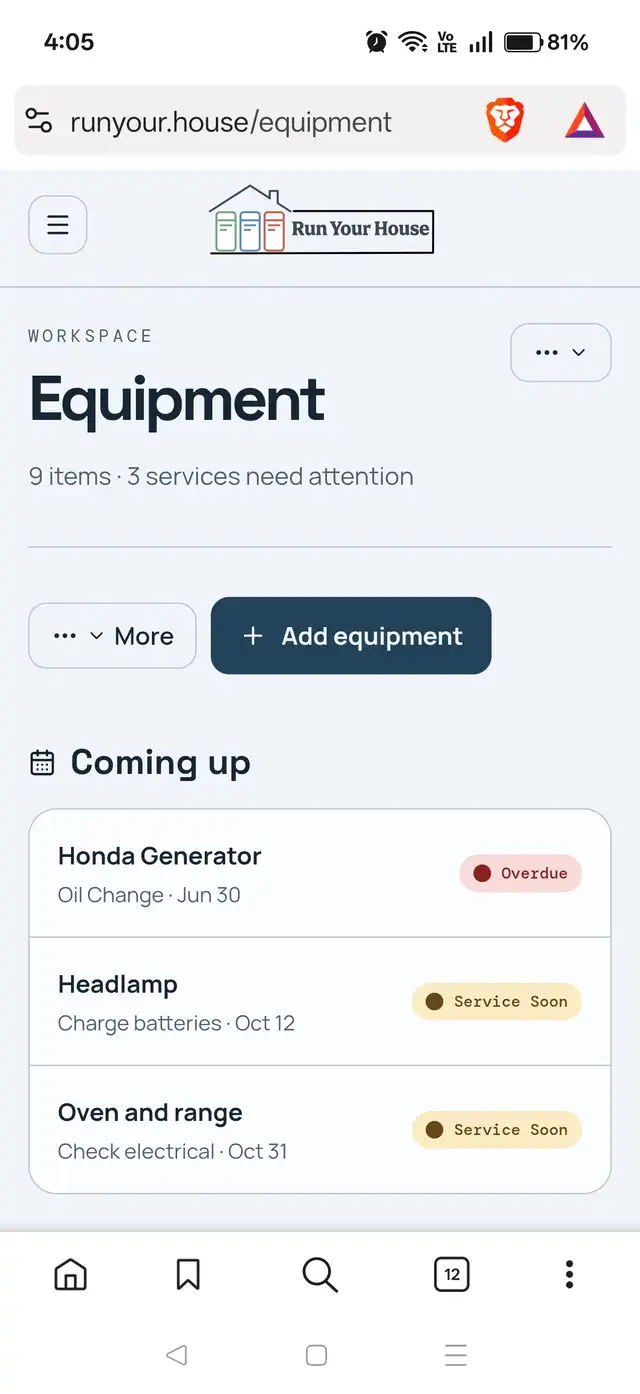
The Run Your House equipment maintenance tracker showing an item count, a services-needing-attention count, and a Coming up list with the Honda Generator's oil change marked Overdue.

Your appliance maintenance schedule, overdue first

Equipment opens with the count — how many items you have, how many services need attention — and then the short list itself: what's due, on what, and when. Overdue sits at the top in red. Due-soon follows in amber. Everything that's fine stays out of the way.

Coming up — overdue first, then what’s close.
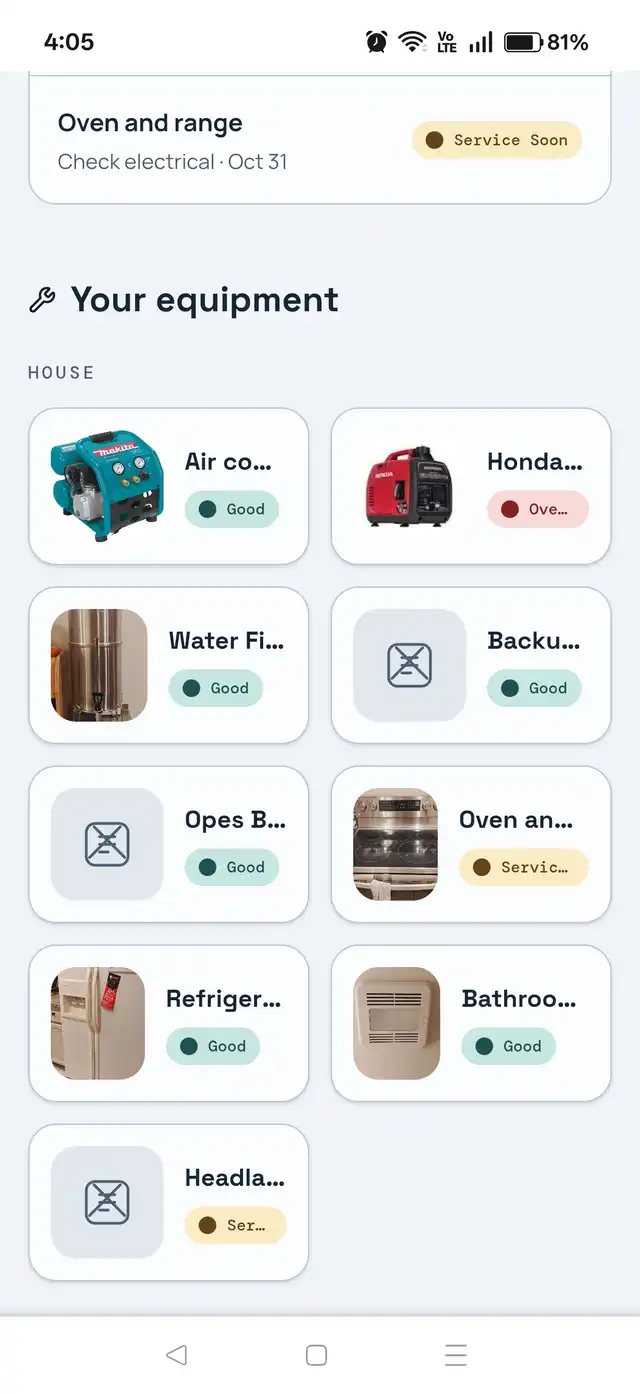
A grid of home equipment cards under a HOUSE group heading, each card showing a photo of the appliance and a Good, Service Soon or Overdue badge.

The whole house on one screen

Everything you've added, grouped by where it lives, each with its own photo and its current state. Air compressor, generator, water filter, oven, refrigerator, bathroom fan — you can see which one needs you without opening a single page.

Your equipment — grouped, photographed, and badged.
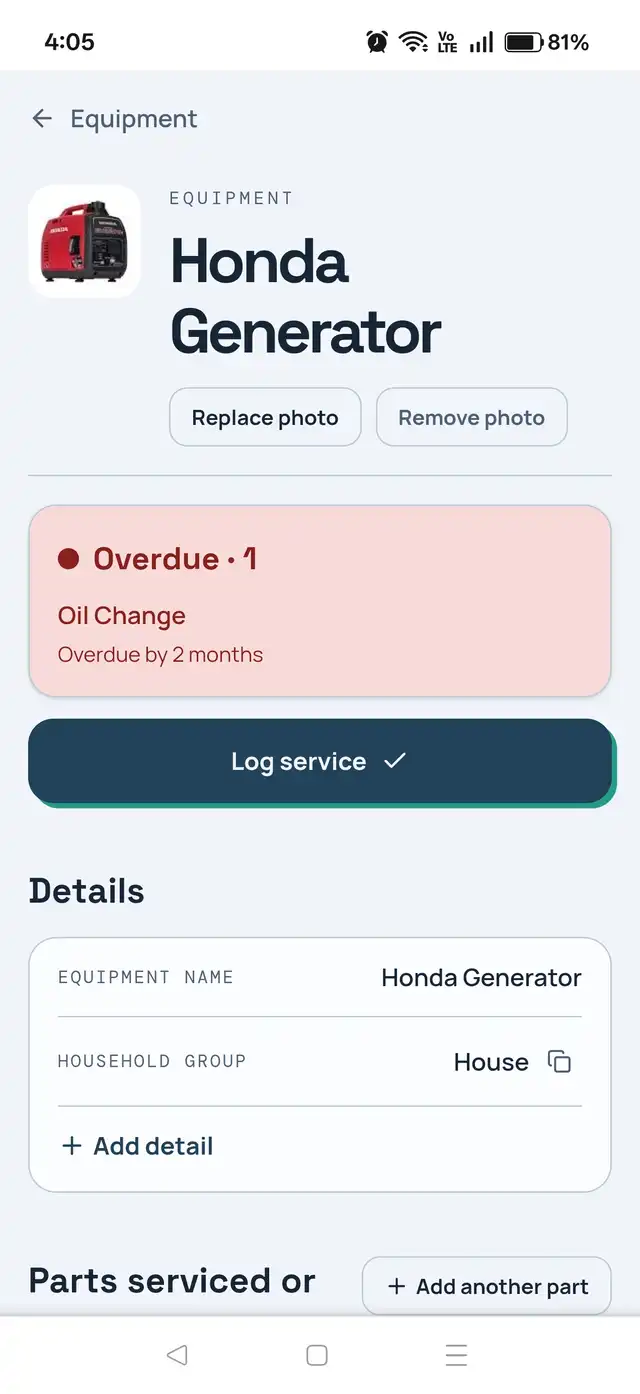
An equipment page for a Honda Generator showing a red Overdue status card reading Oil Change overdue by 2 months, a Log service button, and Details and Parts sections.

A home maintenance log for every item

Its photo, its details, its parts, and Log service. The status card at the top doesn't just say something's wrong — it says the oil change is overdue by two months. Set a service to repeat on whatever interval it actually needs, add details as you learn them, add parts as you buy them, and log the work the moment it's done. Services that wear by use rather than by date can be scheduled on run hours instead of the calendar. When did you last do this? Now you'll know.

The Honda Generator — overdue by two months, with Log service one tap away.

YOUR HOUSEHOLD

The record your house has been missing. Shared with the household, not stuck with you.

01 /

Real ownership, not a shared list

Assign a card to a person and it's theirs. Everyone sees who has what, what's stuck, and what's done — without a group text.

02 /

Email that respects everyone

Six notification types, each person controls their own. Nobody gets emailed about their own actions, and one click unsubscribes.

03 /

In your browser, on any phone, without an install

Run Your House is a website, built mobile-first — a maintenance tracker in your browser, not another app to install. Pull it up on iPhone or Android and everything above is laid out for a thumb. Add it to the home screen if you like — no App Store, no update prompts, no second account.

04 /

Style

Your household can match its style with six curated themes, so the board feels like yours wherever you use it.

FREE FOR YOUR HOUSEHOLD

Have a household ID?

Enter the 1–4 character ID shared by a household admin to request access.

Join household

FAQ

Questions people ask before they start

How do I keep track of when I last changed the water filter?

Add the water filter as a piece of equipment, give it a service that repeats on the interval you want, and tap Log service when you change it. The date is recorded against that item and the next one is scheduled from it. The answer stops living in your head.

Is there a home maintenance tracker that isn't an app?

This one. Run Your House is a website — open it in any browser on a phone, tablet or laptop and it works. Nothing to install, nothing to update, and no App Store account standing between you and your own records.

Can my whole household see the maintenance record?

Yes. Everyone in the household sees the same equipment, the same schedules and the same history, and work can be assigned to a specific person. It's a shared home maintenance tracker, so nobody has to be the one person who remembers.

How do I keep a service history for my generator?

Give the generator its own page, add its services, and log each one as you do it. Every entry keeps the date, the person, the notes and the parts, so the generator maintenance log accumulates on its own instead of being reconstructed from receipts.

Does it track parts as well as service?

Yes. Parts live on the equipment — filter sizes, oil type, whatever you've had to look up before — and you can mark which ones were replaced in a given service entry.

I was using an appliance-tracking app that shut down. Can I keep the record somewhere that won’t?

Run Your House keeps your records in your own household account on the web, and it's free to use. Because it's a website rather than a store listing, your history isn't tied to one phone or one platform.

Private by design

Private to your household

Private to your household

Your board is visible only to people your household admin approves. Access is by household ID and approval — there's no public board, no shared link that leaks, and no directory to be found in.

We don't need your inbox

No email account connection, no calendar access, no contacts. Run Your House only ever holds what you type into it.

ALSO INCLUDED

Not everything is a piece of equipment

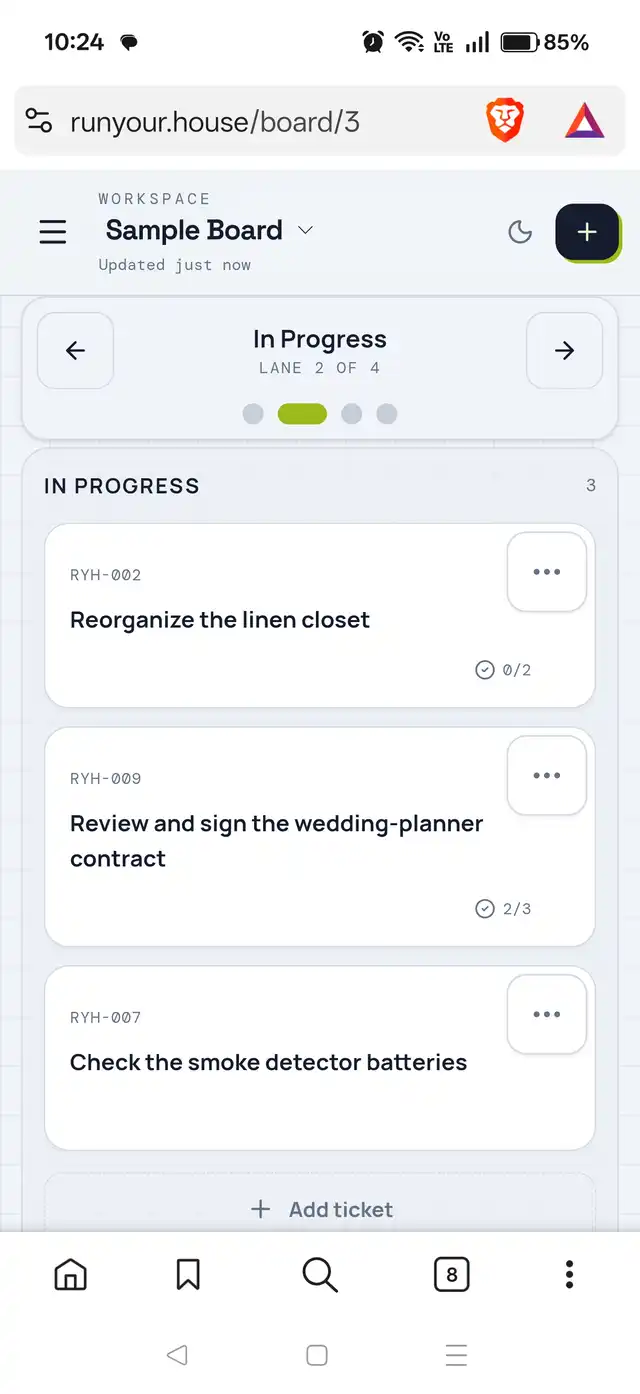
Some work is a project, not a service interval. Boards handle those — a card per thing to do, assigned to someone, moved across lanes as it progresses, with a dated comment thread so the work builds a history instead of disappearing when you tick it off. Same household, same people, same account.

A household project board showing lanes of cards, each card assigned to a member of the household.

Lanes, cards, and who has what

A board per project, a lane per stage, a card per thing that needs doing. Assign it and it's theirs; everyone can see what's moving and what's stuck.

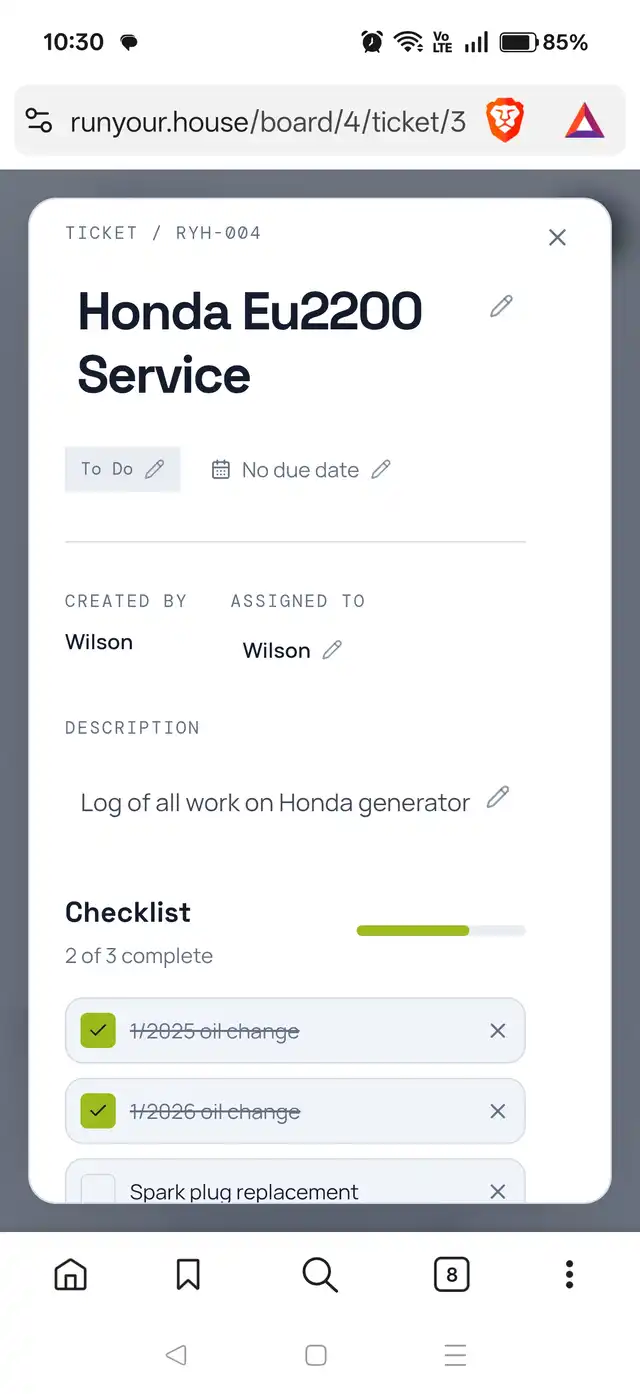
An open project card showing a dated comment thread recording each time the task was worked on.

A running log on every card

Open a card and add a dated comment every time you touch the thing. Next season you can scroll back and see exactly what you did, what it cost you in time, and what you said you'd do differently.

  • Seasonal house jobs
  • Wedding planning
  • Van or camper build
  • Cross-country road trip
  • Renovations
  • Moving
  • Kids and school
  • Garage, yard, boat

When did you last do this? Now you'll know.

Cars get a service history. Houses don't.